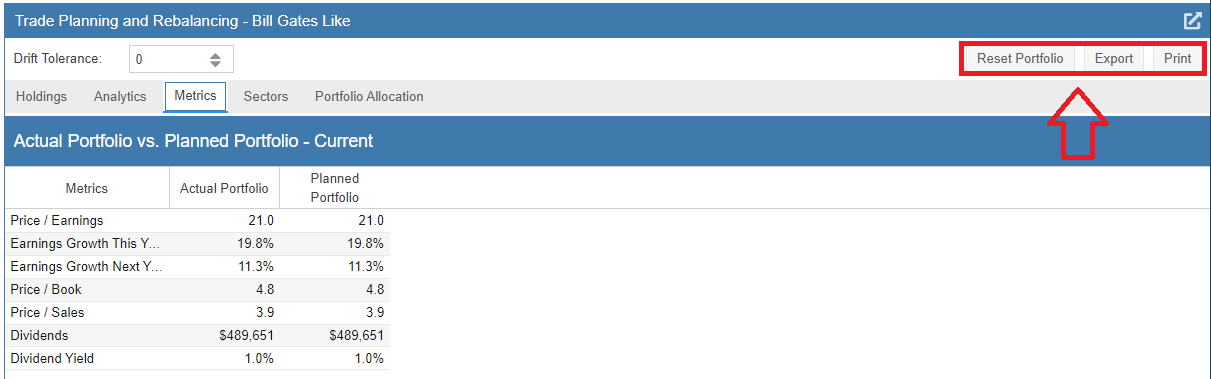
Aggregate Portfolio Metrics
As you adjust your planned portfolio under the Holdings tab, the Metrics tab updates to reflect the fundamental differences between your actual holdings and your proposed model. This comparison covers key valuation and growth statistics, including Price-to-Earnings (P/E), Price-to-Book (P/B), Earnings Growth, and Projected Dividends.
As indicated by the icons in the upper right-hand corner, you also have the ability to reset the simulation, export the data, or print a summary of the fundamental changes.
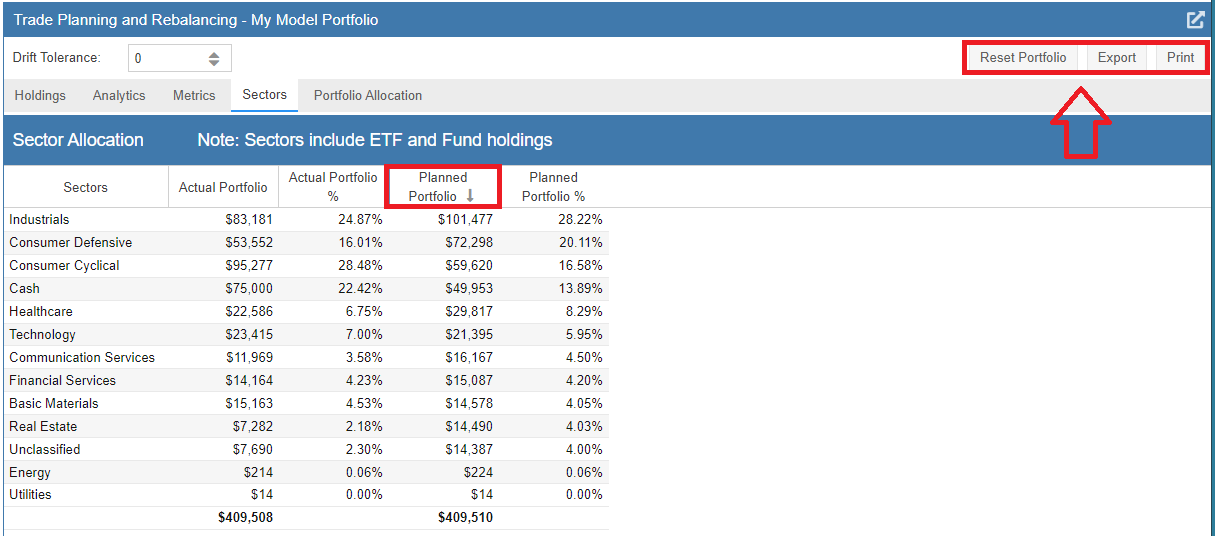
The Sectors tab provides a breakdown of your cash position and sector weightings for both the actual and planned portfolios. Any assets not officially assigned to a sector are grouped under “Unclassified.”
Notably, if you own ETFs or mutual funds, Stock Rover automatically populates the sector data based on the underlying holdings of those funds, providing a more accurate view of your true market exposure. You can sort the table by any column to identify where your largest sector shifts are occurring.